Independent project: Developer tool
QueryDoctor: a database performance investigator
Give it a slow PostgreSQL SELECT or a MongoDB find or aggregate. It reads the execution plan, finds the bottleneck, tests index ideas without creating them where the database allows it, benchmarks the promising ones in an isolated copy of the data, and recommends only what the measurements support.
What it is
Most query-tuning advice is a guess that an index will help. QueryDoctor treats it as an experiment: every finding cites the measurement behind it, and every index idea carries a label for how well it is backed.
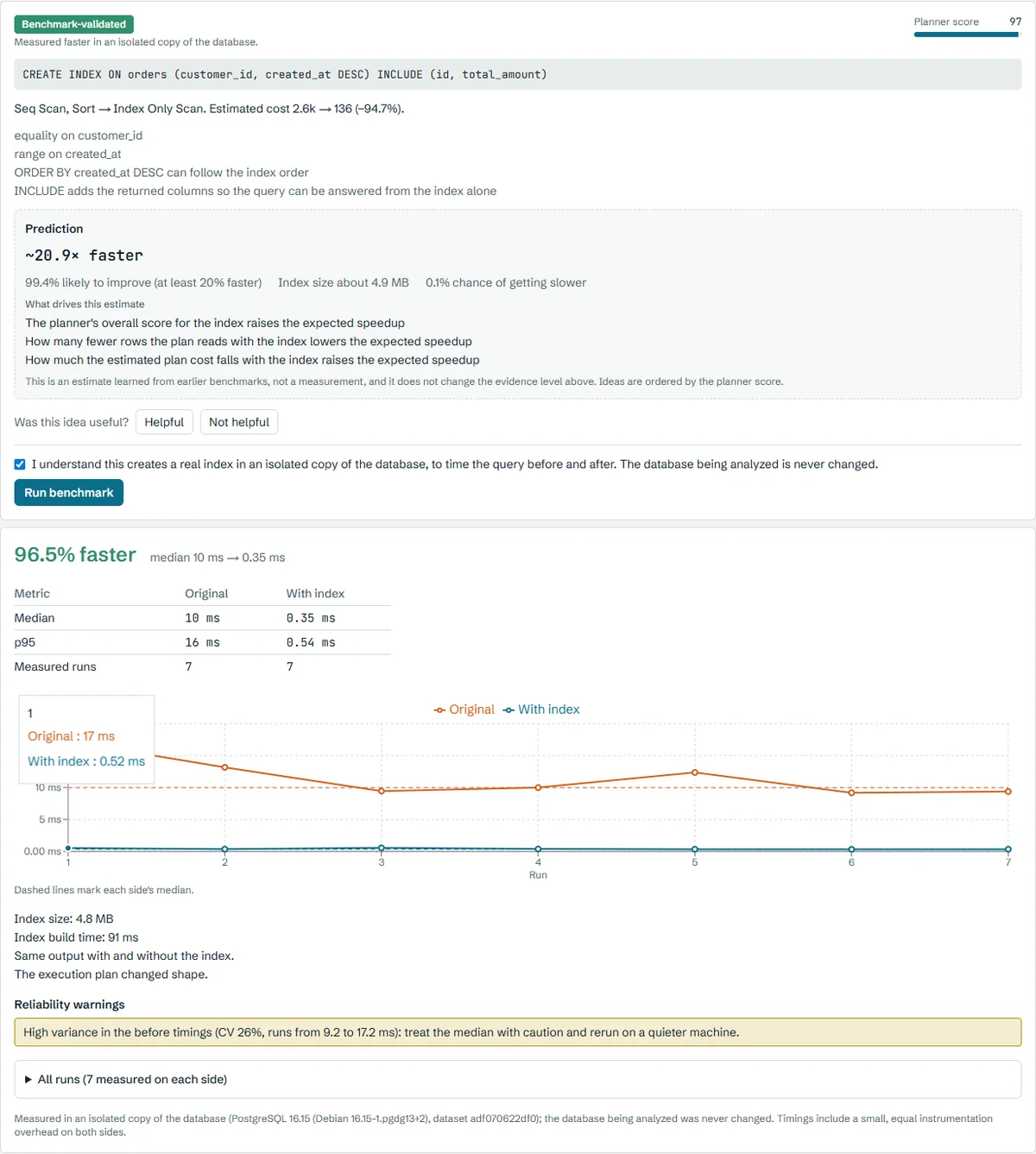
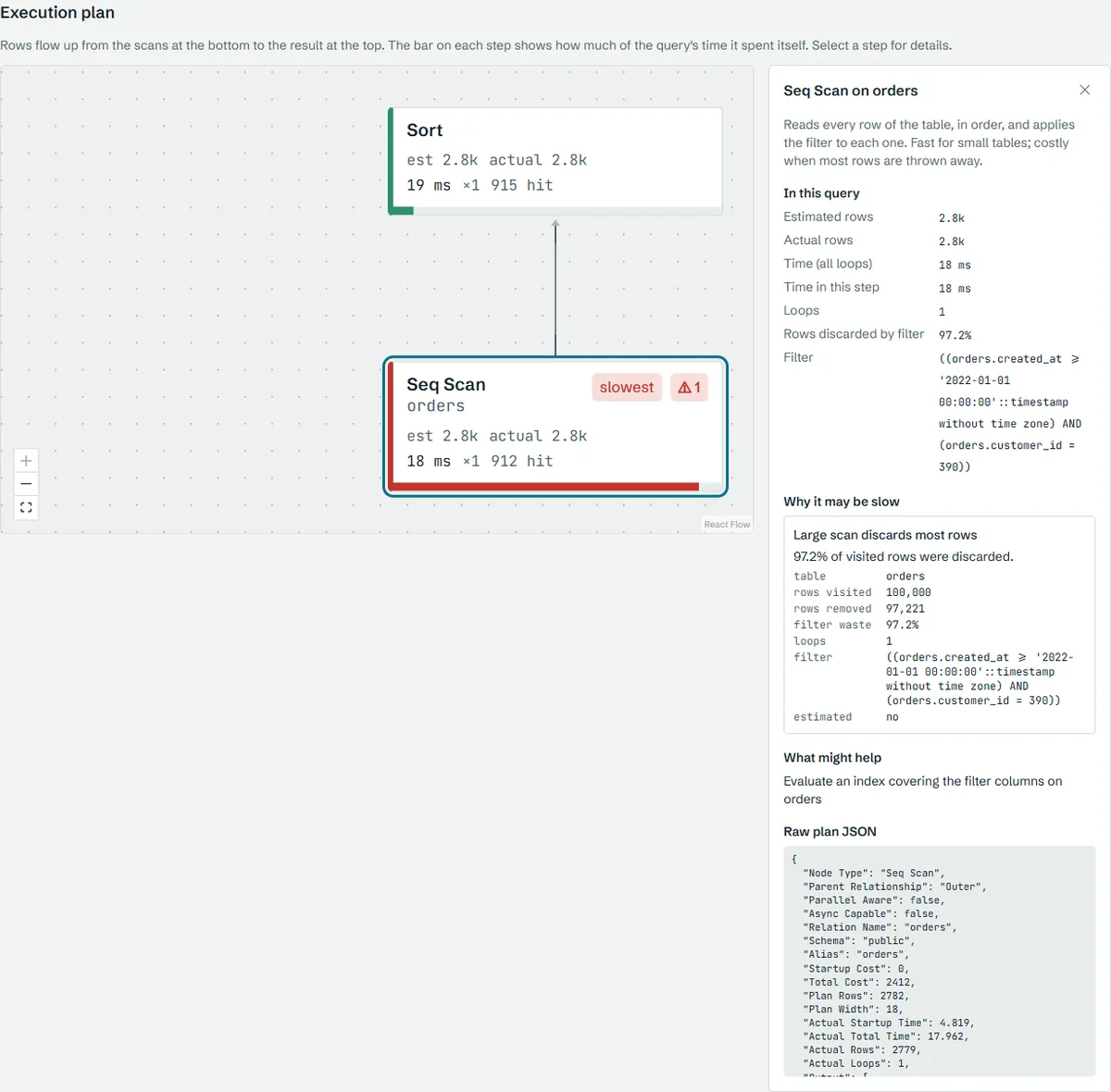
Ideas are labelled Suggested (derived from the query's shape, not tested), Planner-validated (PostgreSQL's planner picks the index in a what-if test) or Benchmark-validated (measured faster, with identical output, in an isolated copy of the database). On the bundled sample, a query for one customer's recent orders scanned all 100,000 orders and threw away 97.2% of them; a composite index on customer and date cut the median from 8 ms to 0.32 ms across 7 runs, with the same output.
It also tried a learned ranking of index ideas, and reports the result plainly: a LightGBM model trained on 3,670 measured candidates did not order suggestions better than the planner score on held-out query shapes, so the planner score keeps ordering them. It supports PostgreSQL 16 and MongoDB 7 reads against the sample databases, with no authentication, and your own PostgreSQL databases only behind an off-by-default flag.
My part
I designed and built the analysis engine, the API and worker, and the web app.
Independent project. It runs through Docker Compose against the bundled sample databases.
Stack
- FastAPI
- Celery
- PostgreSQL 16
- HypoPG
- MongoDB 7
- Next.js
- React Flow
- LightGBM
- Docker Compose
What is inside
A Next.js UI over a FastAPI control plane. Celery workers run each analysis against target and benchmark databases, with one adapter per database engine.
01
Guarded analysis
The SQL is validated as one SELECT with no DDL, DML or dangerous functions. MongoDB specs are checked against an allowlist of stages, and operators such as $where, $out and $merge are refused at any depth.
02
Plan and diagnosis
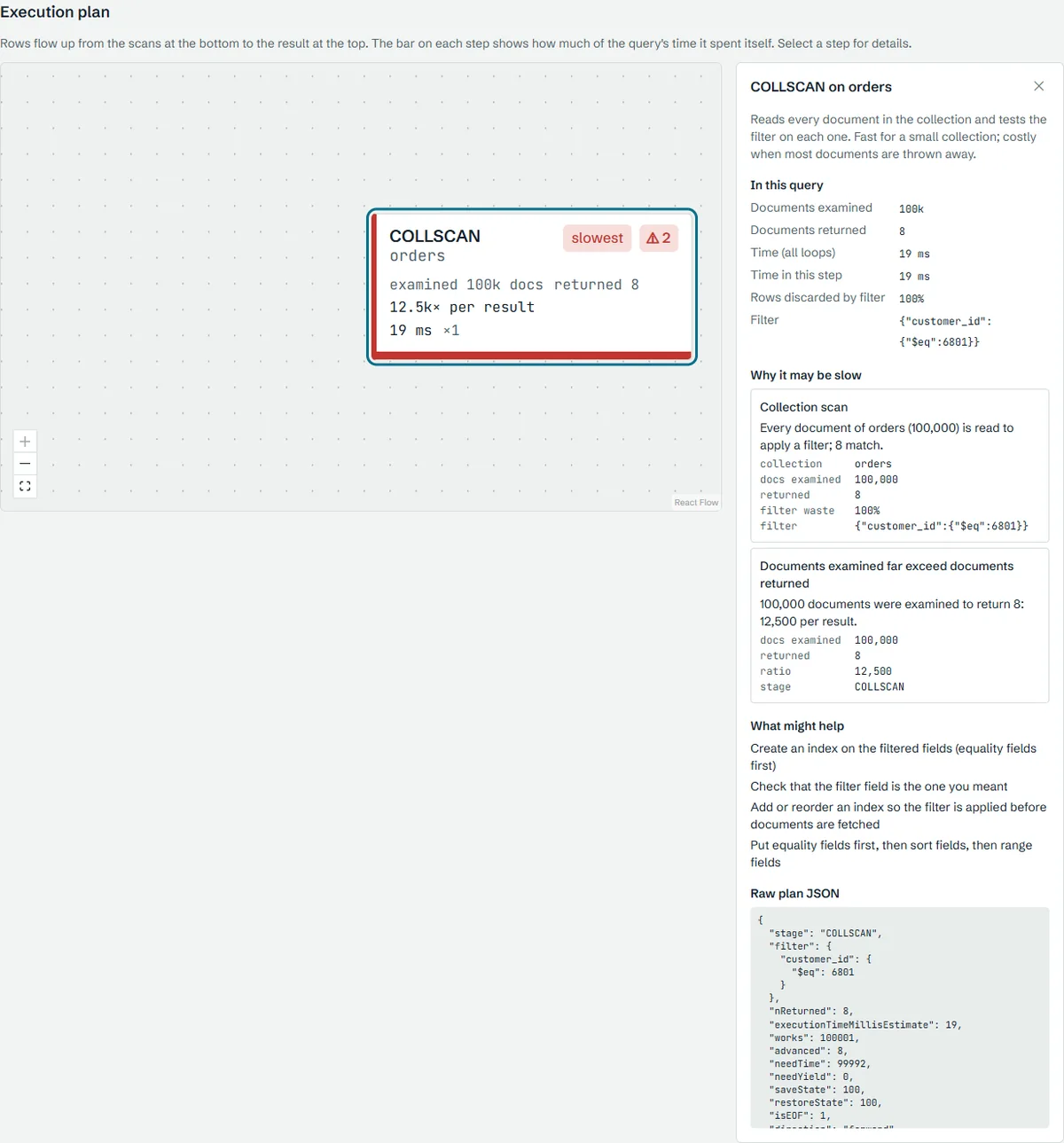
EXPLAIN output is normalized into one plan tree and checked by ten deterministic rules for PostgreSQL and ten for MongoDB, each with a documented catalog entry.
03
Index candidates
Candidates are generated from the query's shape, with redundant ones pruned, and tested with HypoPG so nothing is created. MongoDB candidates follow the equality, sort, range rule.
04
Isolated benchmarks
An approved candidate is built in a throwaway clone, timed before and after over several runs, and compared on medians, p95 and a checksum of the output. The clone is always dropped.
05
Workload ranking
The Workload page imports pg_stat_statements or the MongoDB profiler, merges queries of the same shape and ranks them by total time, and compares two imports to flag regressions.
06
Checked explanations
Plain-language explanations cite numbered facts. A local model may draft them, but invented numbers or uncited sentences are rejected and a deterministic template is used instead.